
YouTube or MP3: Should You Stream It or Convert It Down?
You’re on the bus, signal’s patchy, and your favourite playlist lives on YouTube, not Spotify. So the thought creeps in, “I’ll just convert it to MP3.” Simple enough, right? Except it’s really not, and I think most people searching this exact phrase don’t realise just how tangled the answer actually is.
Let’s untangle it properly.
The Real Question Behind “YouTube or MP3”
Honestly, this phrase usually means one of two things, and they’re worth separating clearly.
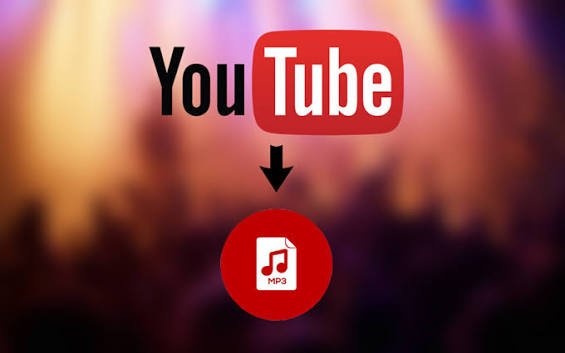
Either you want to keep listening to something on YouTube directly, streaming, ad-supported or otherwise. Or you want to pull the audio out and save it as a standalone MP3 file you can keep forever, offline, no app required.
Sounds like a small distinction. It isn’t. That second option opens up a genuinely messy legal and safety picture, one that most quick “how to” guides conveniently skip past.
Why People Reach for MP3 Conversion in the First Place
Fair reasons, honestly, and worth acknowledging before diving into the risks. Patchy data. Long commutes with dodgy signal. Wanting a lecture or podcast saved permanently rather than relying on an app staying available. Or just, genuinely, wanting music offline without paying for a subscription.
I get it. I’ve been in exactly that spot, standing in an airport with 2% battery and a data cap, wishing I’d downloaded something properly beforehand instead of relying on a shaky connection.
What Actually Happens When You “Convert” YouTube to MP3
Here’s the bit that surprises people. YouTube’s own terms of service explicitly prohibit downloading content from the platform, full stop, unless you’re using an official, licensed download feature.
Third-party “YouTube to MP3” converter sites work by pulling audio directly from YouTube’s video stream, essentially bypassing the platform’s own controls to extract and save it separately. That process itself sits in direct conflict with YouTube’s rules, regardless of what you actually plan to do with the resulting file afterward.
Is It Actually Illegal?
This is genuinely the most confusing part, so let’s be precise about it.
Using a converter tool isn’t automatically a crime, on its own. The legality comes down to the content itself. If you’re converting something you own, something with an open licence, or content that’s genuinely copyright-free, you’re on solid ground.
But most of what people convert, music videos, official audio uploads, licensed tracks, is copyrighted. Downloading that without permission generally counts as copyright infringement, even if you never share the file with anyone else. “I only kept it for myself” doesn’t actually hold up as a legal defence, however common that belief is.
The good news, if you can call it that, individual casual users face genuinely low real-world enforcement risk. Legal action has almost exclusively targeted the operators of converter websites themselves, not the person who used the tool once for a song. But low risk isn’t the same thing as no risk, and it’s not the same thing as legal, either.
The Bigger, More Immediate Risk: Your Device
Honestly, I think this matters more day-to-day than the legal question. The YouTube-to-MP3 converter ecosystem is notoriously heavy on aggressive advertising, and not the harmless kind.
Reports consistently mention deceptive download buttons, where clicking “Download MP3” actually triggers an ad or, worse, adware, forced browser extension installs, and occasionally outright credential-harvesting overlays disguised as legitimate download prompts. Several once-massive converter sites, YouTube-mp3.org among them, got shut down entirely following legal action, and the ones that replaced them tend to be smaller, less accountable, and honestly riskier.
There’s also a decent chance your account itself takes the hit. YouTube can and does suspend accounts tied to repeated, systematic terms-of-service violations. If you’ve got a channel of your own, even casual converter use creates a bit of unnecessary risk you probably don’t need.
So, What Should You Actually Do Instead?
A few genuinely solid, low-risk options, honestly worth trying before reaching for a random converter site.
YouTube Premium. The official, fully legal way to download videos and audio for offline playback within the app itself. Files stay encrypted inside the app, so you can’t export a standalone MP3, but for offline listening, it does exactly the job you actually need.
The YouTube Audio Library. If you’re a content creator specifically needing background music, this free official tool offers thousands of properly licensed, copyright-safe tracks, downloadable as real audio files, no legal grey area involved.
Streaming platform offline tiers. Spotify, Apple Music, and similar services all let you download tracks for offline listening within their paid tiers, fully licensed, ad-free, genuinely reliable.
Royalty-free and Creative Commons libraries. Sites like Jamendo host independent music released under open licences, entirely free and legal to download as standalone files.
A transcript-first approach for spoken content. If what you actually need is the information, a lecture, an interview, not the audio itself, a transcription tool captures the content in searchable text form without touching copyright or platform rules at all. Genuinely underrated option, honestly, particularly for students.
A Quick Gut Check Before Converting Anything
If you’re still tempted to convert something, ask yourself one honest question first: would you be comfortable explaining exactly where this file came from, and why, to the person who made it? If the answer’s no, that’s usually a pretty reliable signal to skip it.
Final Thoughts
“YouTube or MP3” isn’t really a simple either-or choice once you look under the surface. Streaming stays fully legal and safe. Converting strays into genuinely murky legal territory, and drags real device-security risk along with it, mostly through the aggressive ad networks that fund these converter sites.
If offline access is really what you’re after, and for most people it genuinely is, the legal routes have gotten a lot better in recent years. Worth trying those first, honestly, before handing your browser over to a site that treats “download” buttons as bait.
Useful links:





Leave a Reply