

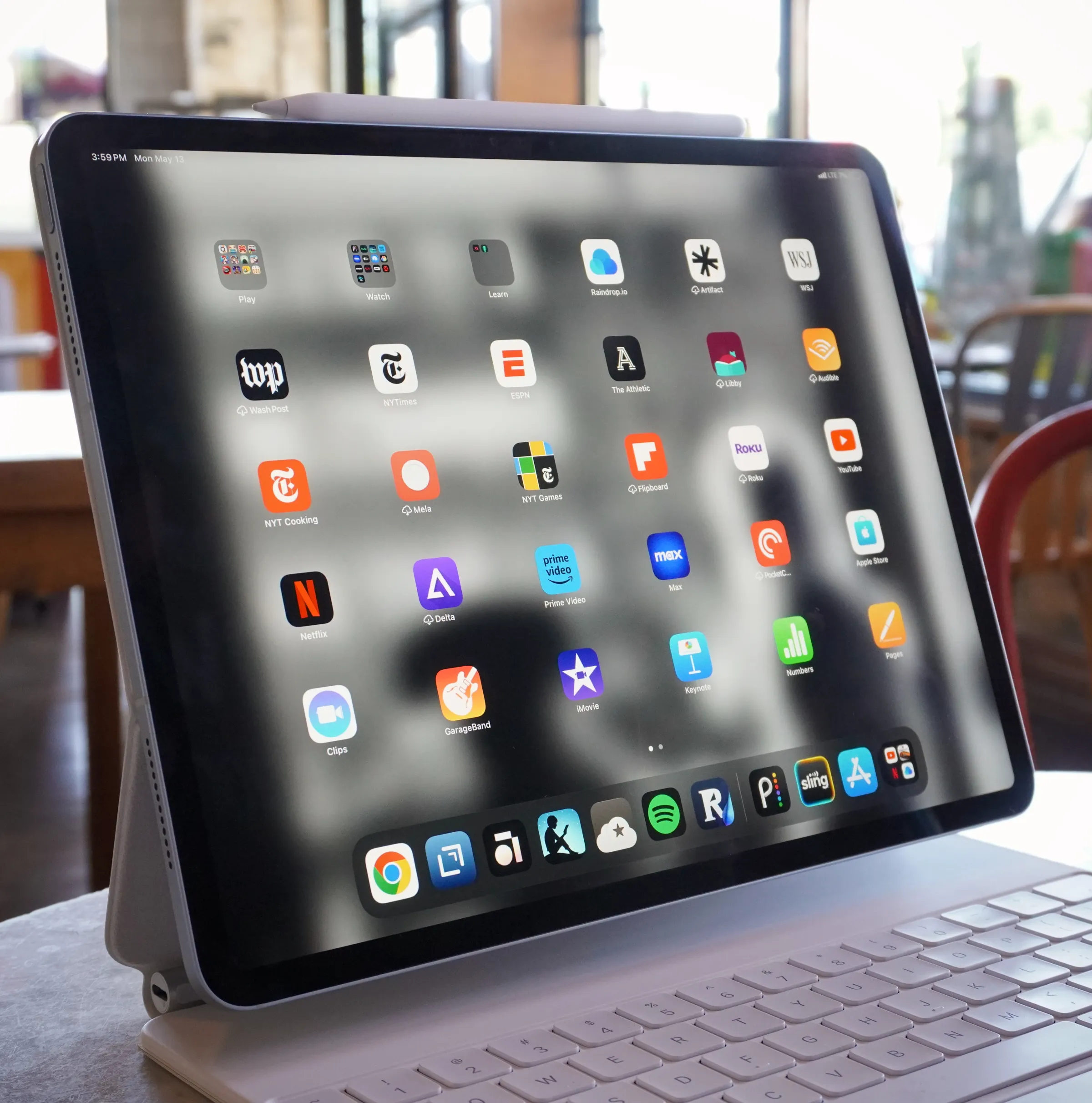
iPad Buying Guide 2026: Which Model Actually Fits Your Life?
Standing in front of Apple’s iPad page feels a bit like ordering coffee at one of those menus with forty variations. iPad. iPad Air. iPad mini. iPad Pro. Different chips, different sizes, prices jumping from $349 all the way up past a grand. It’s a lot, honestly.
Let’s actually sort through it, properly, without the marketing fluff.
Wait, How Many iPads Are There Now?
As of 2026, Apple’s lineup sits at four families: the base iPad, the iPad mini, the iPad Air, and the iPad Pro. That’s been the shape of things for a while now, though the internals inside each one keep shifting year to year.
Here’s the quick cheat sheet, chip-wise: the base iPad runs on the A16 chip, the iPad mini uses the A17 Pro, the iPad Air got bumped up to the M4 chip in March 2026, and the iPad Pro sits at the top with the M5. Confusing on paper, I know. Stick with me.
The Base iPad: Cheap, Cheerful, Genuinely Fine for Most People
Starting at $349, the standard iPad is still, honestly, the one I’d point most casual buyers toward. It’s got an 11-inch Liquid Retina display, a 12MP rear camera with 4K video, Touch ID, and USB-C. Nothing flashy. Just solidly good for the basics.
Web browsing, streaming, note-taking, video calls, light schoolwork, this thing handles all of it without breaking a sweat. In my experience, most people buying a tablet genuinely don’t need more horsepower than this. They just think they do because the fancier models look shinier in the ad.
The one real limitation worth knowing: it’s the outlier in the lineup when it comes to Apple Intelligence support. If AI features specifically matter to you, this isn’t the model built with that in mind.
The iPad Mini: Small, Mighty, Weirdly Underrated
The mini’s the oldest device in the current lineup, technically, but don’t let that put you off. It packs the A17 Pro chip, meaning it’s actually more powerful under the hood than the base iPad, just squeezed into a genuinely pocket-friendly size.
I think the mini gets overlooked constantly, and that’s a shame, honestly. If you want something you can actually hold one-handed on a train, or slip into a bag without thinking about it, this is the one. Reading, note-taking on the go, quick email triage, it’s a genuinely lovely little device for that specific lifestyle.
The iPad Air: The “Just Right” Option
This is where things got interesting in 2026. Apple refreshed the Air with the M4 chip back in March, available in both 11-inch and 13-inch sizes, starting at $599 and $799 respectively.
The Air sits deliberately in the middle. It’s got the proper M-series processing power, Apple Intelligence support, Pencil Pro compatibility, and a broader keyboard ecosystem, all without charging full Pro pricing. What it skips is the Pro’s fancier Tandem OLED screen and the buttery-smooth ProMotion refresh rate.
Honestly? For most people doing actual work on an iPad, not just consuming content, the Air is probably the sweet spot. You get real performance without the premium tax on display tech most people won’t even notice missing day-to-day.
The iPad Pro: For People Who Actually Need It
Topping out at $1,299 for the 13-inch model, the Pro runs the M5 chip and throws in genuinely professional-grade features: four speakers, four studio-quality microphones, LiDAR scanning, ProRes video recording, and that gorgeous Tandem OLED display with adaptive refresh up to 120Hz.
I’ll be honest, unless you’re doing serious creative work, video editing, professional photography, heavy multitasking with pro-level apps, this is probably overkill. It’s a fantastic machine. It’s just built for a specific kind of user, and most people buying a tablet aren’t that user, even if the marketing makes it look tempting.
What About Battery Life and Everyday Use?
Good news here, actually, this part’s refreshingly uncomplicated. Every model across the 2026 lineup delivers roughly 10 hours of battery life for typical use, streaming, browsing, general work. So battery anxiety, at least, isn’t something you need to factor heavily into which model you pick.
So, Which One Should You Actually Buy?
Here’s my honest, no-nonsense take, based on actually thinking through who buys these things and why.
Students and casual users: the base iPad. Genuinely. Save the money, put it toward a keyboard case or Apple Pencil instead.
Anyone who wants ultra-portability: the mini. Small, capable, easy to love once you actually use one.
Anyone doing real work, notes, documents, moderate creative tasks: the Air. Best value-to-capability ratio in the whole lineup, I think.
Professionals and serious creatives: the Pro. Worth the extra cost if your work genuinely demands it, not just because it’s the “best” one on paper.
A Few Buying Tips Worth Remembering
Before you commit, a couple of practical things worth double-checking, regardless of which model you’re leaning toward:
- Factor in accessories. Pencil, keyboard, case, these add up fast and genuinely change the total cost.
- Check Pencil compatibility carefully, it varies by model and isn’t always obvious at a glance.
- Don’t chase rumored future models. Speculation about redesigns or new chips isn’t a real product yet, and waiting indefinitely for a rumor is a losing game.
- Match the size to your actual use, not what looks impressive in a photo. An 13-inch tablet in a small bag gets old fast.
Final Thought
The iPad lineup looks complicated from the outside, four models, four price tiers, overlapping features everywhere. But once you actually map it against how you’ll use it, honestly, the choice usually becomes pretty obvious. Most people don’t need the flashiest one. They just need the one that fits their actual day.
Useful links:










Leave a Reply